

Overview
One Shared Inbox. One Team. Zero Missed Messages.
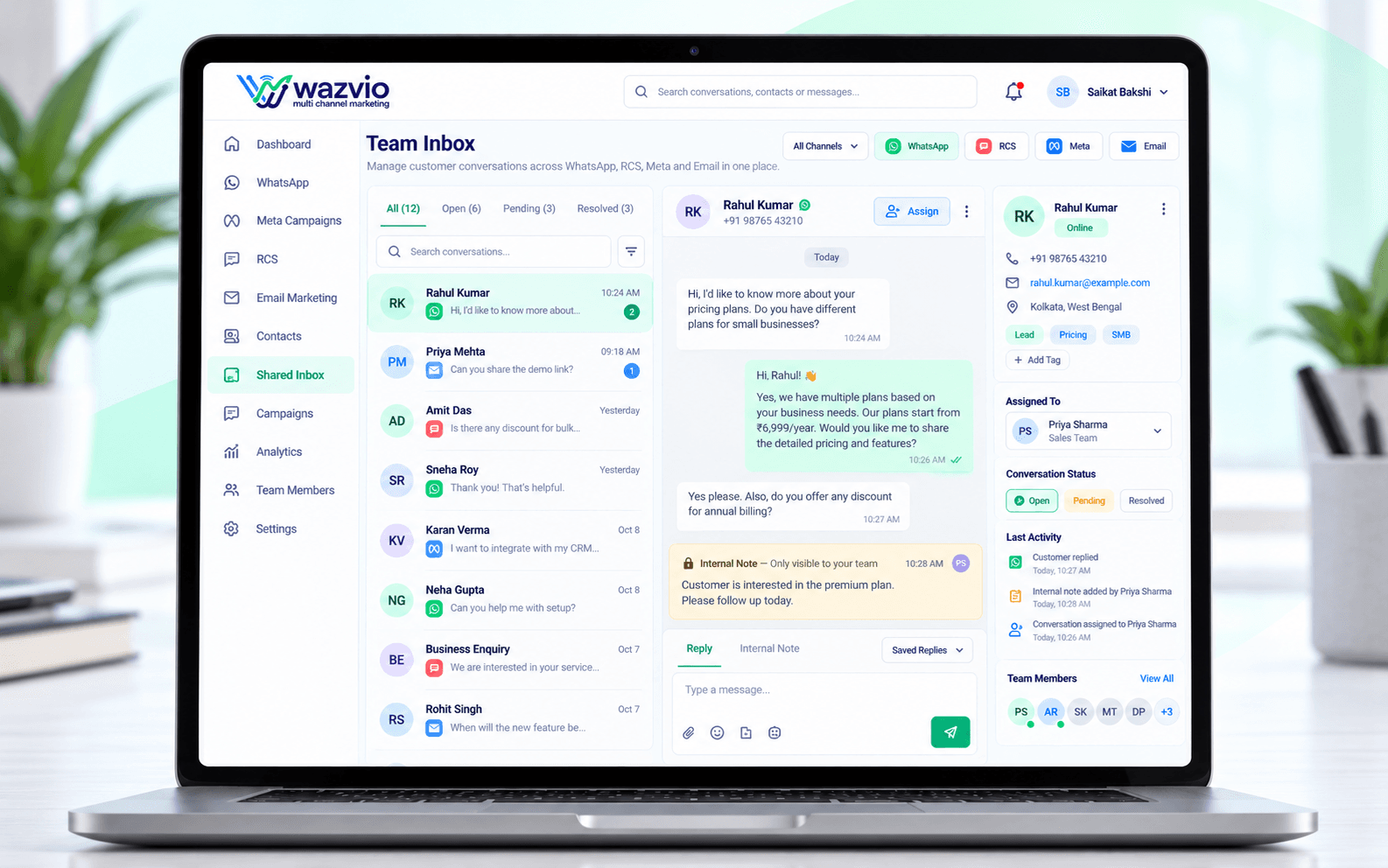
Wazvio's shared inbox brings every customer conversation — across WhatsApp, RCS, Meta and Email — into one place your whole team can see, assign and respond from together.
Internal notes, conversation assignment and status tracking keep everyone aligned, so handoffs between sales and support are seamless and no customer message ever falls through the cracks.
- Shared inbox for the whole team
- Assign conversations to teammates
- Internal notes on every chat
- See who is handling which customer
- Avoid duplicate replies
How Team Collaboration Works
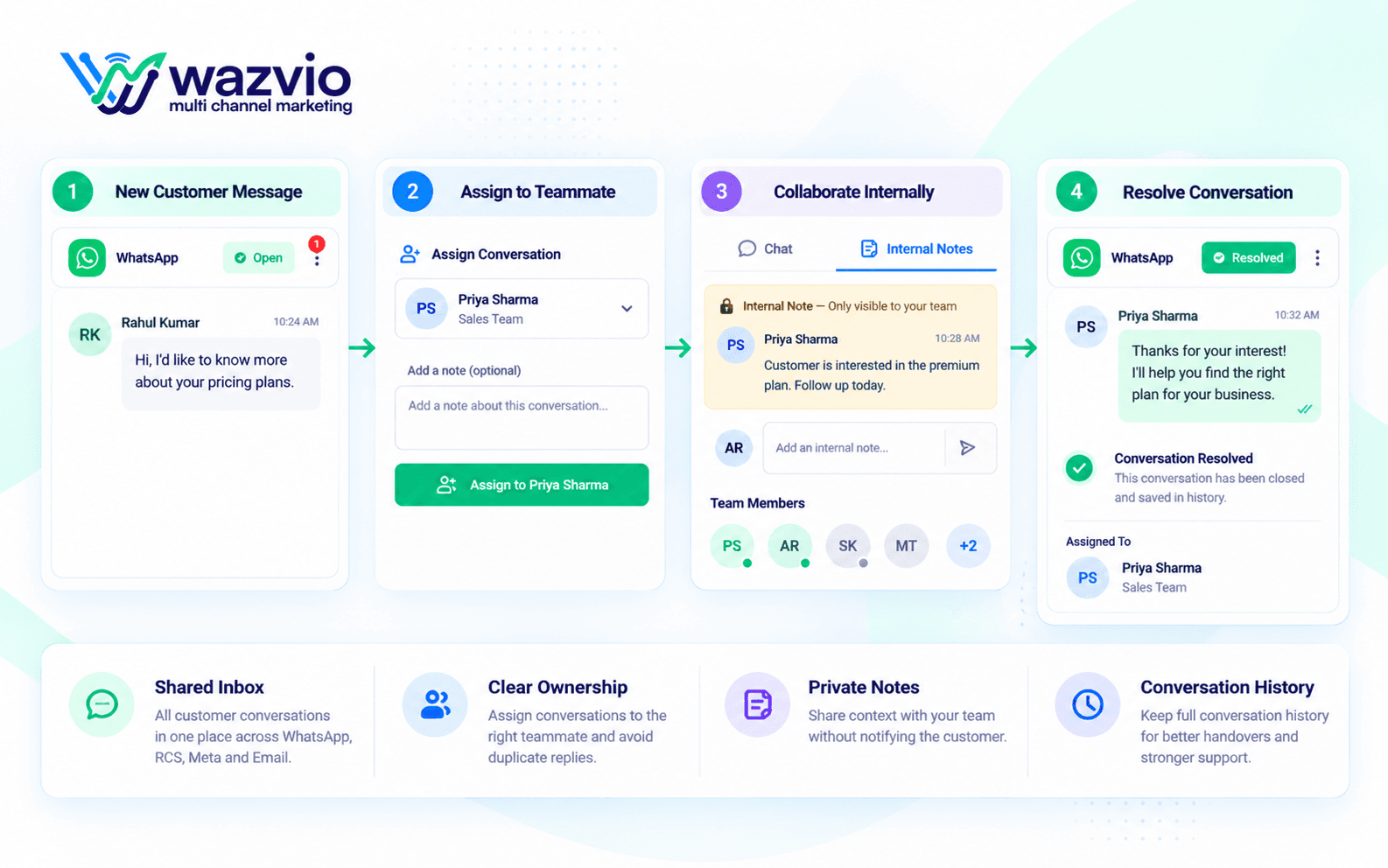
Receive
Every customer message lands in one shared inbox.
Assign
Route each conversation to the right teammate.
Collaborate
Add internal notes and loop in colleagues.
Resolve
Close the conversation with full context saved.
Key Collaboration Features
Shared Inbox
One place for every customer conversation.
Chat Assignment
Give every conversation a clear owner.
Internal Notes
Share context privately without notifying the customer.
Conversation Status
Mark chats as open, pending or resolved.
Team Visibility
See who is online and who is handling what.
Quick Replies
Answer common questions in a click with saved replies.
Better Teamwork. Better Replies.
Inbox
Shared by the team
Ownership
Assigned chats
Context
Internal notes
Status
Open to resolved
Speed
Saved replies
No more two people answering the same customer.
New teammates can catch up fast thanks to saved history.
Why Teams Choose Wazvio Collaboration
No Missed Chats
Every message has a visible owner.
Faster Replies
Saved replies and context speed up responses.
Better Handovers
Pass chats between teammates without losing history.
Happier Customers
Consistent, informed answers every time.
Team Collaboration FAQs
What is a shared inbox?
A shared inbox lets your whole team see and manage customer conversations in one place instead of using individual phones.
Can I assign a chat to a teammate?
Yes. Assign any conversation to a teammate so everyone knows who is responsible.
Can my team leave private notes?
Yes. Internal notes are visible only to your team and are never sent to the customer.
How many teammates can I add?
The number of teammates depends on your plan. You can review the options on the pricing page.
Ready to Help Your Team Work Together?
Give every teammate a shared inbox, clear ownership and the context they need to reply well.
No credit card required · Start in minutes