

Overview
Write Once. Send Everywhere. Stay On Brand.
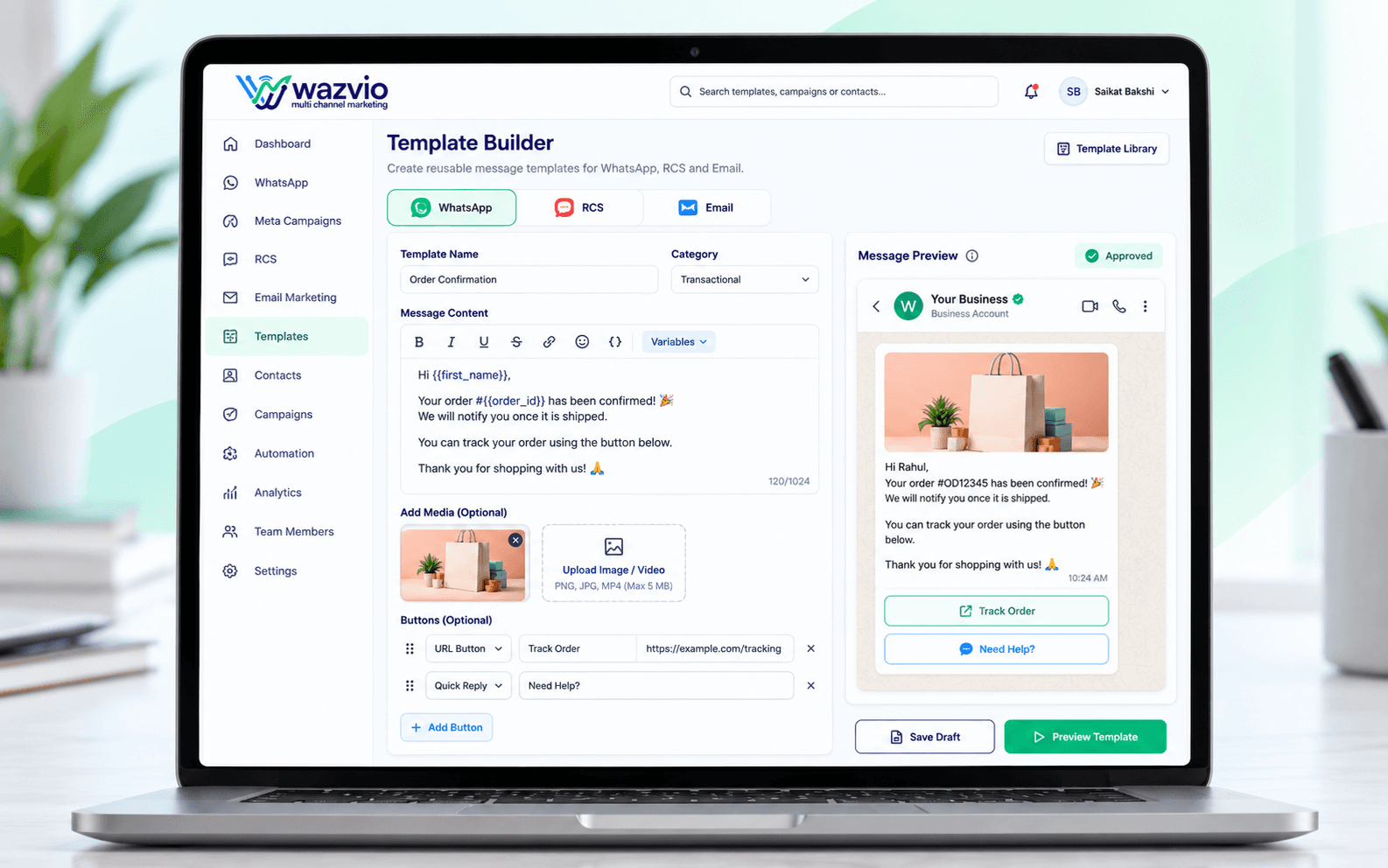
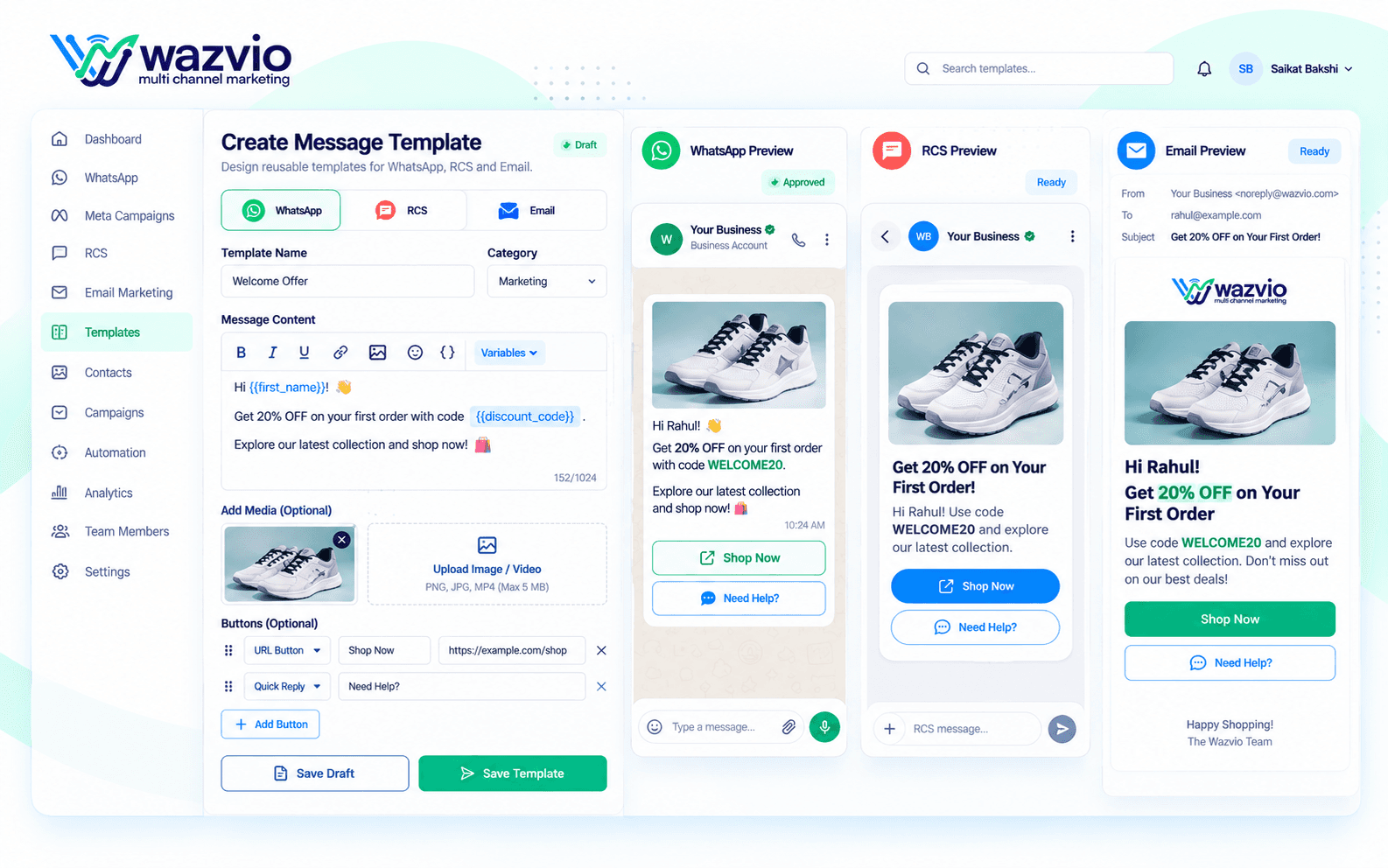
Build a library of reusable, on-brand templates for WhatsApp, RCS and Email so your team can launch a new campaign in minutes instead of writing copy from scratch every time.
Templates go through the required approval process automatically where needed, and can include dynamic fields like customer name or order details, keeping every message personal at scale.
- Build reusable message templates
- Add variables for personalization
- Include buttons, media and links
- Submit WhatsApp templates for approval
- Reuse templates across campaigns
How the Template Builder Works
Create
Write your message and choose the channel and category.
Personalize
Add variables, buttons, links and media.
Approve
Submit WhatsApp templates for approval in the right format.
Reuse
Use the template in campaigns, flows and drip sequences.
Key Template Builder Features
Visual Editor
Write and preview your message exactly as customers see it.
Dynamic Variables
Insert names and order details for personal messages.
Buttons & Links
Add call-to-action and quick-reply buttons.
Rich Media
Attach images, documents and video to your templates.
Approval Status
Track which templates are approved and ready to send.
Template Library
Keep every template organized and easy to find.
Consistent Messaging at Any Scale
Channels
WhatsApp, RCS, Email
Personalization
Dynamic variables
Actions
Buttons and links
Media
Images, files, video
Status
Approval tracking
Reuse one approved template across many campaigns.
Keep your tone and branding consistent across the whole team.
Why Teams Choose the Wazvio Template Builder
Save Time
Stop rewriting the same message for every campaign.
Stay On Brand
Keep a consistent voice across channels.
Fewer Rejections
Create WhatsApp templates in the required format.
Launch Faster
Go from idea to campaign in minutes.
Template Builder FAQs
What is a WhatsApp message template?
A WhatsApp message template is a pre-approved message format used to start conversations with customers. You can add variables, buttons and media to it.
Can I personalize templates?
Yes. Add variables such as name or order details so each message feels personal.
Do templates work for RCS and Email too?
Yes. You can keep reusable content for WhatsApp, RCS and Email and reuse it across campaigns.
How are templates approved?
WhatsApp templates are submitted for approval before use. Wazvio helps you create them in the required format.
Ready to Build Better Messages, Faster?
Create reusable templates with variables, buttons and media, and launch campaigns in minutes.
No credit card required · Start in minutes