

Overview
The Right Access for Every Member of Your Team.
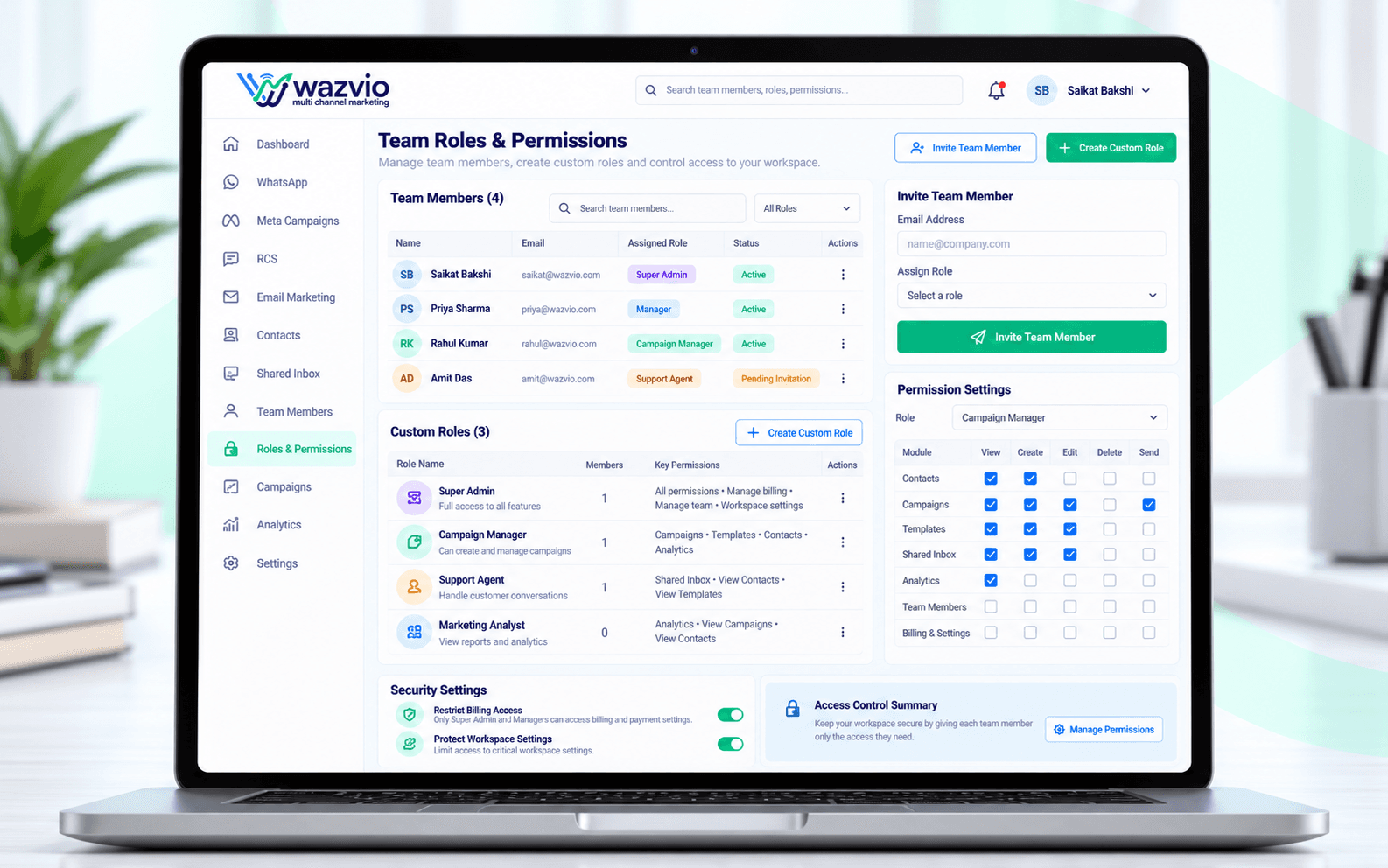
As your team grows, Wazvio's role-based permissions let you control exactly who can send campaigns, edit templates, view analytics or manage billing — without giving everyone full access.
Create custom roles for sales, support and marketing, and invite new team members with the right level of access from day one, keeping your account secure as more people join.
- Create roles for admins, agents and managers
- Control who can view, edit and send
- Protect sensitive data and settings
- Add or remove members in seconds
- Keep an organized, secure workspace
How Roles & Permissions Work
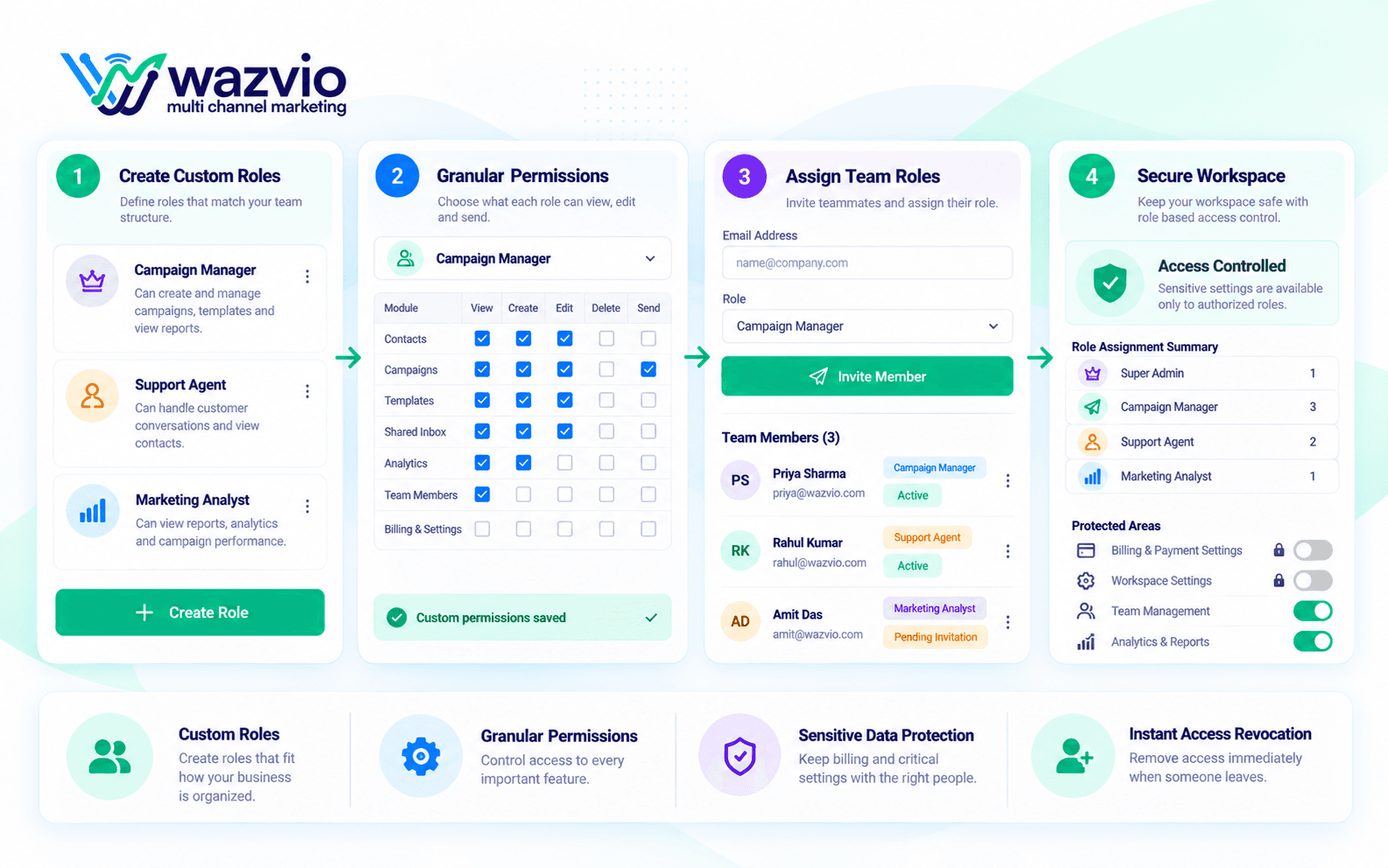
Define
Create roles that match your team structure.
Permit
Choose what each role can view, edit and send.
Invite
Add teammates and assign their role.
Review
Update access any time as your team changes.
Key Roles & Permissions Features
Custom Roles
Build roles that fit how your business is organized.
Granular Permissions
Control access to contacts, campaigns, inbox and settings.
Sensitive Data Protection
Keep billing and critical settings with the right people.
Quick Onboarding
Invite a teammate and assign a role in seconds.
Instant Revocation
Remove access immediately when someone leaves.
Clear Accountability
Know who has access to what at any time.
Security That Does Not Slow Your Team Down
Roles
Custom and standard
Access
Per-feature control
Sensitive Areas
Restricted
Onboarding
Seconds
Offboarding
Instant
Give agents the inbox without exposing billing or settings.
Adjust access any time as your team grows and changes.
Why Teams Choose Wazvio Roles & Permissions
Stay Secure
Limit access to what each person actually needs.
Reduce Mistakes
Prevent accidental changes to critical settings.
Grow Confidently
Add teammates without losing control.
Stay Organized
A clear structure for every member.
Team Roles & Permissions FAQs
What are team roles and permissions?
Roles group a set of permissions so you can control exactly what each teammate can see and do in your workspace.
Can I create custom roles?
Yes. Start from standard roles such as admin or agent and adjust permissions to match how your team works.
Can I limit access to billing or settings?
Yes. Sensitive areas such as billing and workspace settings can be restricted to selected roles.
What happens when someone leaves the team?
You can remove their access immediately, and their conversation history stays with your workspace.
Ready to Give Everyone the Right Access?
Keep your workspace organized and secure with clear roles and permissions on Wazvio.
No credit card required · Start in minutes